Building a gaming PC sounds exciting until you reach the part where you have to choose a processor. Suddenly, you’re staring at endless benchmarks, model numbers, clock speeds, and heated debates between AMD and Intel fans. It gets confusing pretty fast.
And honestly, a lot of people end up spending way more money than they actually need to.
The truth is, figuring out what is the best CPU for gaming depends on more than just buying the most expensive chip on the shelf. Your monitor resolution, graphics card, game library, and even the kind of gamer you are all matter. A competitive esports player has different needs compared to someone who just wants smooth gameplay in massive open-world titles after work.
So let’s make this simple, practical, and actually useful.
Why the CPU Still Matters in Gaming
You’ve probably heard people say the GPU is everything for gaming. That’s partly true. Your graphics card does most of the heavy lifting when rendering visuals, but the CPU is still incredibly important.
Think of it this way: the GPU paints the picture, but the CPU tells the entire game world what’s happening.
Enemy AI, physics, background calculations, frame pacing, and multiplayer communication all rely heavily on the processor. If your CPU struggles, your expensive graphics card can end up waiting around instead of performing at full power.
That’s where bottlenecks happen, and nobody likes spending loads of money only to get disappointing FPS.
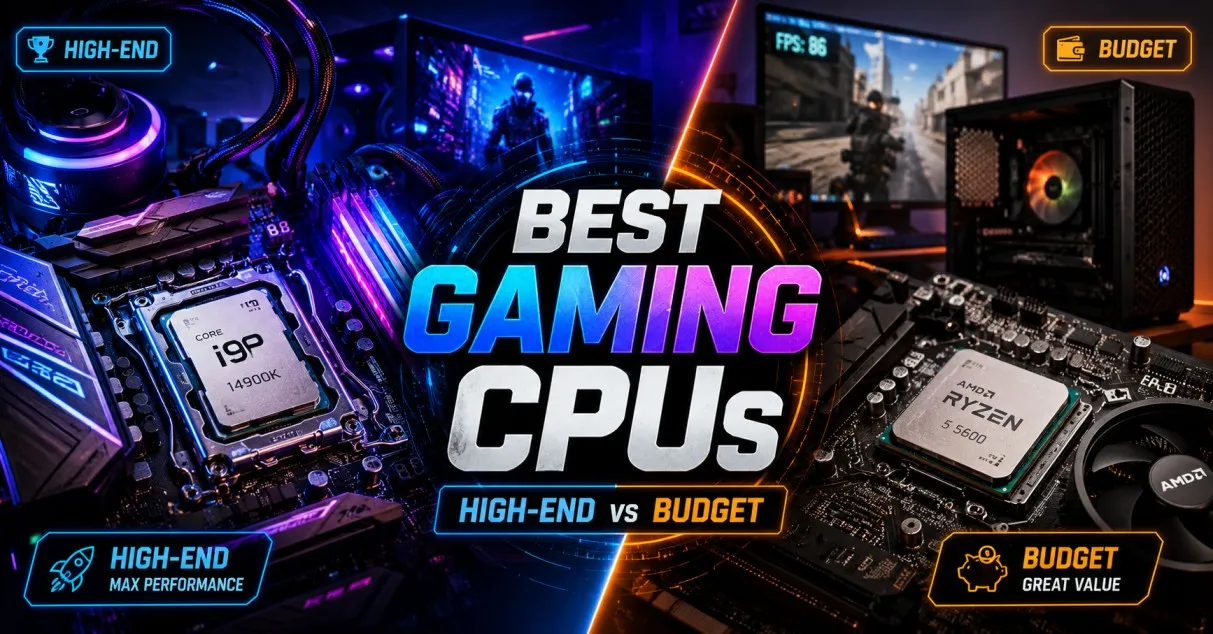
What Is the Best CPU for Gaming Right Now?
At the moment, AMD is dominating the gaming market with its X3D processors. These chips use something called 3D V-Cache technology, which basically gives games faster access to data. In real-world gaming, that often translates to higher frame rates and smoother performance.
For pure gaming performance, the AMD Ryzen 7 9800X3D is widely considered the king right now.
It delivers exceptional FPS in modern AAA games, performs brilliantly in competitive titles, and stays surprisingly power efficient. Believe it or not, it even manages to run cooler than many high-end Intel chips.
If your goal is maximum gaming performance without compromises, this processor is incredibly hard to beat.
Best High-End CPU for Gaming
AMD Ryzen 7 9800X3D
This chip is the dream choice for enthusiasts.
It shines particularly well in games that are CPU-heavy, like strategy games, simulation titles, and competitive shooters where every frame counts. Pair it with a powerful GPU like an RTX 5090 or Radeon RX 8900 XT, and the performance becomes genuinely impressive.
What makes it stand out?
- Incredible gaming FPS
- Excellent power efficiency
- Lower temperatures compared to rivals
- Outstanding 1080p and 1440p gaming performance
- Future-ready AM5 platform support
To be fair, it’s not cheap. But if gaming is your main hobby and you want a machine that feels fast for years, this CPU makes a lot of sense.
Best CPU for Gaming and Streaming
AMD Ryzen 9 9950X3D
Now, if you’re someone who games, streams, edits videos, and runs multiple apps at once, you’ll probably want more cores.
That’s where the Ryzen 9 lineup enters the conversation.
The Ryzen 9 9950X3D combines elite gaming performance with serious productivity power. It’s kind of the “do everything” processor for creators who also happen to be gamers.
Ever wondered why streamers often use expensive CPUs even when gaming performance looks similar? Because background tasks eat resources quickly.
Streaming software, browser tabs, Discord, recording tools, and editing programs all demand CPU power. A stronger multi-core processor keeps everything running smoothly.
Still, if you only play games, this chip might honestly be overkill.
Best Mid-Range CPU for Gaming
Intel Core Ultra 5 250K
Not everybody wants to spend a fortune on a processor, and that’s perfectly fine.
The mid-range market is actually where most gamers should be shopping. You get excellent performance without completely draining your budget.
Intel’s Core Ultra 5 250K delivers impressive gaming performance for the price. It handles modern games comfortably, works well with mid-to-high-end GPUs, and offers strong multitasking capability too.
This is the sort of processor that makes sense for gamers who want:
- Smooth 1440p gaming
- Reliable performance
- Strong everyday productivity
- Good value for money
And let’s face it, value matters. Spending wisely often feels better than simply buying the most expensive thing available.
Best Budget CPU for Gaming
AMD Ryzen 5 9600X
Budget gaming PCs have come a long way.
A few years ago, cheaper processors struggled badly with newer titles. Today, even mid-range CPUs can deliver excellent gaming experiences if paired correctly.
The Ryzen 5 9600X is a fantastic example of that.
It performs extremely well in modern games, especially at 1080p. Most gamers probably won’t even notice the difference between this and more expensive chips unless they’re constantly checking benchmark charts.
What makes it attractive is the balance:
- Affordable pricing
- Excellent gaming performance
- Low power usage
- Easy upgrade path on AM5 motherboards
For students, casual gamers, or first-time PC builders, this processor is honestly one of the smartest choices available right now.
AMD vs Intel for Gaming
Ah yes, the classic debate.
People have argued about AMD and Intel for years, and sometimes those discussions become strangely emotional. But if we remove the fanboy arguments and focus purely on gaming, AMD currently has the advantage thanks to its X3D technology.
Still, Intel absolutely remains competitive.
Here’s the simplified breakdown.
Choose AMD if:
- You want the best gaming FPS
- You care about efficiency and temperatures
- You want longer platform support
- You play CPU-intensive games
Choose Intel if:
- You multitask heavily
- You prefer Intel’s ecosystem
- You find better local pricing
- You need balanced gaming and productivity
The truth is, both companies make excellent processors now. There really isn’t a “bad” choice anymore.
How Many Cores Do You Actually Need?
This question comes up constantly.
Some people think they need 16 cores just to play games smoothly. Honestly, most gamers don’t.
For gaming in 2026, here’s the realistic sweet spot:
- 6 cores: Good for budget gaming
- 8 cores: Ideal for most gamers
- 12+ cores: Better for creators and heavy multitaskers
Games are improving at using multiple cores, but the difference between 8 and 16 cores in gaming alone is often smaller than people expect.
You’re usually better off investing extra money into a stronger GPU instead.
Does CPU Matter More at 1080p or 4K?
This part surprises many people.
At 1080p, the CPU matters a lot because the graphics card can render frames so quickly that the processor becomes the limiting factor.
At 4K, the GPU does far more work, which reduces CPU differences.
So if you mainly game at:
- 1080p competitive gaming → CPU matters heavily
- 1440p gaming → balanced importance
- 4K gaming → GPU matters more
That’s why benchmark charts sometimes show huge CPU differences at lower resolutions but smaller gaps at higher ones.
Should You Upgrade Your CPU Right Now?
Honestly, maybe not.
A lot of gamers upgrade too early because marketing constantly pushes “next-gen” hardware. If your current CPU already handles your favourite games smoothly, there’s no urgent reason to replace it.
You should consider upgrading if:
- Your CPU constantly hits 100% usage
- Games stutter regularly
- You experience frame drops in multiplayer titles
- Your processor is several generations old
- You’re upgrading to a much stronger GPU
Otherwise, your money might be better spent elsewhere.
The Importance of Pairing the Right GPU
One of the biggest mistakes people make is creating an unbalanced system.
A powerful CPU with a weak GPU won’t magically produce incredible gaming performance. Likewise, pairing a flagship graphics card with an outdated processor can create severe bottlenecks.
Balance matters more than chasing extreme specifications.
For example:
- Ryzen 5 9600X + RTX 5060 = excellent balanced build
- Ryzen 7 9800X3D + RTX 5090 = elite high-end setup
- Core Ultra 5 250K + RTX 5070 = fantastic value combination
Good PC building is about harmony, not just expensive parts.
Future-Proofing: Is It Worth It?
Let’s be honest, “future-proofing” is one of the most overused phrases in PC gaming.
No component stays top-tier forever.
That said, some choices age better than others. Platforms with longer motherboard support, DDR5 compatibility, and strong gaming architecture tend to remain useful for years.
AMD’s AM5 platform currently looks especially promising because AMD has a strong history of supporting sockets for longer periods.
That means easier upgrades later without replacing your entire motherboard.
Final Thoughts
So, what is the best CPU for gaming?
For pure gaming performance, the AMD Ryzen 7 9800X3D currently sits at the top. It delivers incredible FPS, excellent efficiency, and impressive long-term value for enthusiasts.
But the “best” CPU really depends on your budget and gaming habits.
If you want affordable performance, the Ryzen 5 9600X is brilliant. If you stream and create content, the Ryzen 9 9950X3D makes more sense. And if you prefer Intel, the Core Ultra 5 250K remains a strong all-round option.
At the end of the day, gaming is supposed to be enjoyable, not stressful. Don’t get trapped endlessly chasing benchmarks or worrying about tiny FPS differences you’ll barely notice in real gameplay.
Pick a balanced setup, enjoy your games, and build something that actually fits your life.
FAQs
Is AMD better than Intel for gaming right now?
For pure gaming performance, AMD currently leads thanks to its X3D processors. They generally offer better FPS and power efficiency in many modern games. Intel still performs very well though, especially for mixed workloads.
How much RAM should I pair with a gaming CPU?
For modern gaming, 32GB DDR5 RAM is becoming the sweet spot. However, 16GB is still perfectly fine for most gamers who mainly play competitive or less demanding titles.
Is the Ryzen 7 9800X3D worth the money?
Yes, especially if gaming is your priority. It offers some of the best gaming performance available today and should remain relevant for years.
Do I need liquid cooling for a gaming CPU?
Not always. Many mid-range CPUs work perfectly with quality air coolers. High-end processors may benefit from liquid cooling, especially during heavy workloads.
Can a CPU improve FPS significantly?
Absolutely. In CPU-heavy games or competitive esports titles, a stronger processor can noticeably improve FPS and frame consistency.
What’s more important for gaming, CPU or GPU?
In most cases, the GPU matters more, especially at higher resolutions like 1440p and 4K. Still, a weak CPU can bottleneck performance, so balance is important.